Appointment Reminders for Service Businesses: Cut No-Shows Without Chasing Clients
Key Takeaways
- An appointment reminder is any automated message — SMS, email, or phone — sent to a client before a booked slot to confirm attendance and prompt a cancellation if their plans have changed.
- Service businesses without a reminder sequence see no-show rates of 10–20%; those with an automated two-touch SMS sequence typically bring that below 5%.
- SMS reminders outperform email: text messages have a 98% open rate with 90% read within 3 minutes, compared to approximately 20% for email.
- Peer-reviewed studies and large-scale health service data consistently find automated appointment reminders reduce no-show rates by 20–50%.
- This article is for trades, clinics, coaches, and service agencies that take advance bookings and want to protect booked revenue without manually following up every client before every job.
What Is a No-Show Rate — and Why Does It Matter?
An appointment reminder is any message — SMS, email, or automated call — sent to a client ahead of a booked time slot to confirm the appointment is still happening and invite them to cancel if their plans have changed. The goal isn't courtesy: it's protecting a piece of revenue that has already been won but hasn't yet been collected.
A no-show rate is the percentage of booked appointments where the client neither arrives nor gives advance notice. For a service business taking 40 bookings a month at a 15% no-show rate, that's six jobs per month lost after the slot was already filled — revenue that can't be recovered because no alternative client was offered the time.
The distinction between a cancellation and a no-show matters because the costs are completely different. A cancellation gives you time to rebook the slot. A no-show doesn't: the tradesperson drives to an empty address, the clinic seat stays empty, the coach waits on a call that never starts. The slot — and its revenue — is gone.
What Does a No-Show Actually Cost?
The direct cost is straightforward: the value of the job or session that didn't happen. For a plumber billing €300 per call-out, each no-show is €300 in lost revenue plus travel time. For a clinic billing €150 per consultation, it's that fee plus the overhead of keeping the room staffed regardless.
The indirect costs compound faster than most businesses track:
- Unbillable time: Every no-show creates a dead window that cannot retrospectively be filled.
- Opportunity cost: The slot held for a no-show could have gone to another paying client.
- Staff waste: In businesses with employees or contractors on the clock, labour costs are incurred even when nobody shows.
- Rebooking friction: Getting a no-show to rebook requires another full round of outreach at a lower conversion rate.
Four no-shows a month at an average job value of €300 costs a service business €1,200 in direct lost revenue per month — over €14,000 a year — before travel, overhead, or opportunity cost is counted. At scale, the numbers become acute: NHS England reports that missed appointments across primary and secondary care cost the health service approximately £1 billion per year.
Why Do Clients No-Show — and Is It Fixable?
The most common cause of a no-show is not malicious — it's forgetting. A client books three weeks in advance, receives a confirmation they don't revisit, and loses track of the date. A well-timed reminder catches them when they can still cancel in time for the slot to be refilled.
The second cause is a changed plan: the client's circumstances shifted after booking and they haven't got around to cancelling. A reminder with a clear one-tap cancellation link converts these from no-shows into cancellations — still a loss for the session, but enough lead time to rebook the slot with someone else.
Neither cause requires a phone call or manual follow-up to fix. Both are solved entirely by an automated message sent at the right time. The fix is not working harder — it's removing the gap between "client booked" and "client reminded" so nothing relies on memory.
SMS vs Email vs Phone: Which Reminder Channel Works Best?
- SMS — Open rate: 98%; read within 3 minutes: 90%+; best use: primary reminder at 24h and 2h before the appointment.
- Email — Open rate: ~20%; read timing: often deferred; best use: booking confirmation at point of purchase.
- Automated phone call — read timing: immediate; best use: high-value or complex appointments only where a human tone matters.
SMS is the only channel fast enough to prompt time-sensitive action. A text message has a 98% open rate with 90% read within 3 minutes (Gartner Research). Email's ~20% open rate means four in every five reminder emails are unseen before the appointment arrives — which is why email handles the initial booking confirmation well, but shouldn't anchor the reminder sequence.
For most service businesses, the structure that works is: email confirmation at the moment of booking (for the client's records), SMS 24 hours before (primary action trigger), and SMS 2 hours before (last-chance cancellation prompt). Three touches, two channels, no manual effort after setup.
What Is the Ideal Appointment Reminder Sequence?
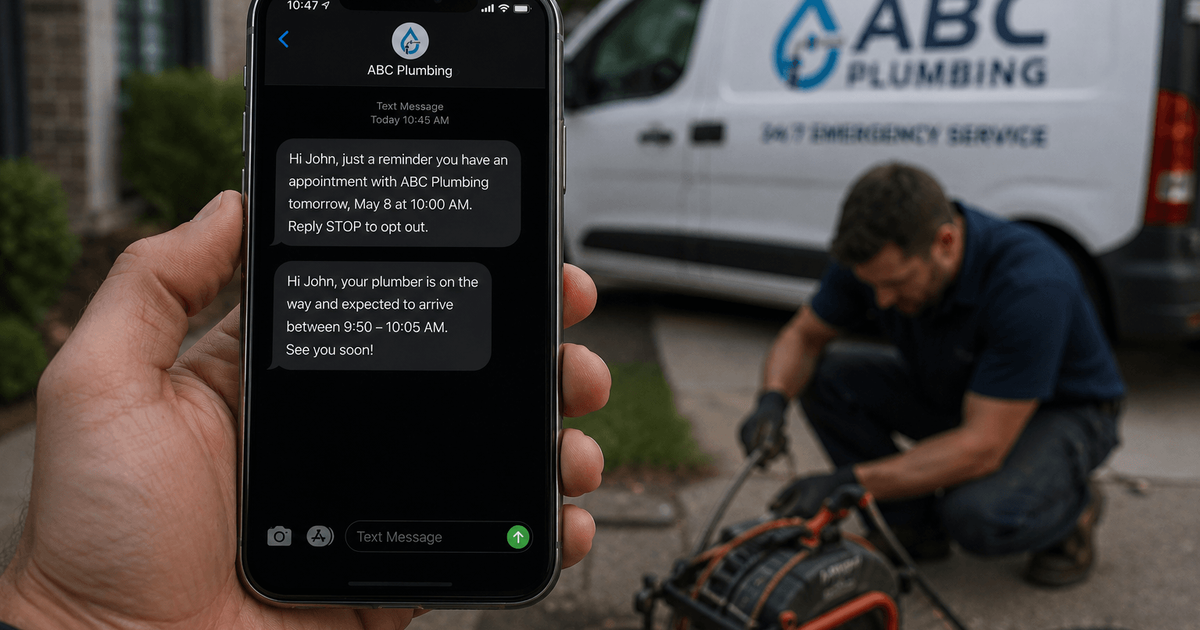
The most effective reminder sequence uses two SMS messages timed around the appointment, preceded by an immediate booking confirmation:
- Booking confirmation (immediate). Sent the moment the appointment is booked — by email and/or SMS. Confirms the date, time, location or call link, and includes a cancellation or reschedule link. Sets the expectation that follow-up messages will arrive.
- 24-hour SMS reminder. Sent exactly 24 hours before. Short — date, time, address, and a one-tap link to confirm, cancel, or reschedule. Keep it under 160 characters. This is the highest-value reminder: cancellations at this stage still leave time to rebook the slot.
- 2-hour SMS reminder. Sent 2 hours before as a last-chance prompt. Even shorter — just the time, address, and a cancellation link. Same-day no-shows are significantly reduced by this message alone.
A 48-hour reminder can be added as a fourth touch for high-value or long-duration appointments — HVAC installations, full-day clinic bookings, or workshop sessions — where the revenue risk of a no-show is highest.
What Should an Appointment Reminder Include?
An effective reminder is short, specific, and asks for one action. The most common failure mode is a reminder that's too long, too vague, or doesn't include a link to act on.
- Include: your business name, the client's first name, date and time written in full ("Thursday 3 July at 10am," not "03/07 1000"), address or video call link, and a single action link — confirm, cancel, or reschedule.
- Exclude: sales copy or upsells, multiple links requiring a decision, formal language that slows down the read.
A message that reads: Hi [Name], your appointment with [Business] is Thursday 3 July at 10am at [Address]. Tap here to cancel or reschedule: [link] — is all you need. Every additional word is friction between the client reading the message and clicking the link.
How Do Automated Reminders Fit Into an AI Booking System?
Appointment reminders are the downstream step in the same system that handles lead capture and booking confirmation — not a standalone tool bolted on afterward. The same infrastructure that texts back a missed call within minutes and responds to a new enquiry in under five minutes should also protect the booking once it's made, because winning the enquiry is only half the job.
An AI booking system sequences the full loop automatically:
- Capture: Lead enquires via form, call, or chat.
- Follow-up: Automated response within minutes of the enquiry.
- Booking: Appointment confirmed and entered in the calendar.
- Reminders: 24h and 2h SMS reminders triggered automatically.
- Post-appointment: Review request or rebooking prompt sent after the job completes.
This is the model behind Alpsaxis's AI Lead & Booking System — a single connected system from first enquiry to attended appointment, with no manual step required at any point.
A No-Show Reduction Checklist
- Calculate your actual no-show rate: count missed appointments as a percentage of all bookings over the last month — not from memory, from records.
- Confirm you're sending an immediate booking confirmation with a cancellation link — not just a calendar invite.
- Set up an automated SMS reminder 24 hours before every appointment.
- Add a second SMS reminder 2 hours before for any appointment over €100 in value.
- Verify your cancellation link is working and routes to a reschedule option, not a dead confirmation page.
- Track no-show rate monthly, separating confirmed bookings, attended appointments, advance cancellations, and no-shows — four different outcomes that should never be grouped.
FAQ
What is a good no-show rate for a service business?
Below 5% is achievable for most service businesses running a two-touch automated reminder sequence. Without reminders, rates of 10–20% are common. The priority is converting potential no-shows into advance cancellations — a cancellation still leaves time to rebook the slot; a no-show doesn't.
How far in advance should I send appointment reminders?
The most effective sequence is 24 hours before (SMS, primary action trigger) and 2 hours before (SMS, last-chance prompt). For high-value or long bookings, add a 48-hour reminder as a third touch. Always send an immediate confirmation at the moment of booking — this is not a reminder, but it primes the client to expect follow-up messages and establishes a cancellation link from day one.
Is SMS or email better for appointment reminders?
SMS is more effective for time-sensitive action: text messages have a 98% open rate with 90% read within 3 minutes (Gartner Research). Email is better for the initial booking confirmation, where the client may want to save or forward the details. Use both: email at booking for the record, SMS at 24h and 2h for the action trigger.
Do I need software to send automated appointment reminders?
Yes — manual reminders don't scale and don't maintain timing consistency. A service business with 10 bookings a week runs 30 reminder messages per week on a three-touch sequence. Appointment reminder software, or an AI booking system with reminders built in, handles this automatically — fires at the right time regardless of whether you're on a job, and logs every send without a spreadsheet.
What should I do when a client cancels via the reminder link?
Route them immediately into a reschedule flow, not a dead confirmation screen. A cancellation that arrives 24 hours before the appointment is valuable — it gives you time to offer the slot to a waiting client or your general lead pool. A cancellation link that goes nowhere trains clients to stop using it, which means the next cancellation becomes a no-show instead.
The Bottom Line
No-shows are the most preventable form of lost revenue in a service business — and the fix requires no manual effort after initial setup. A two-touch automated SMS sequence, timed 24 hours and 2 hours before each appointment, consistently reduces no-show rates by 20–50%.
At an average job value of €200–€500, eliminating even two no-shows a month adds €4,800–€12,000 a year in revenue that would otherwise have been left on the table. The appointment was already won. The reminder just makes sure the client shows up to collect it.
If your bookings aren't yet protected by an automated reminder sequence — or if you want reminders wired into the same system that handles lead follow-up and booking confirmation — book a call and we'll show you what that setup looks like for your specific business.